MCP
Use TetherReach from your AI agent.
Connect your AI agent to TetherReach with one key. It sets up campaigns as drafts and reads your results. You approve sending yourself in the app.
Claude
 Claude
Build a LinkedIn campaign for the 40 logistics directors in logistics-directors.csv. An invitation first, then a message after 3 days.
get_daily_caps · Anna de Vries ✓
create_campaign · draft ✓
add_people_to_campaign · 40 people ✓
Done. The campaign is in TetherReach as a draft. Nothing has been sent.Logistics directors, UtrechtDraftInvitationday 1Messageafter 3 daysPeople40
Can you start it?
Approving it is up to you. Open the campaign in the TetherReach app, read the messages and approve it. The app then sends within Anna’s limits: 5 invitations a day, 25 a week.
Reply to Claude…Opus 5.5

Nine tools.
list_campaigns- Your campaigns with what waits, runs and is done.
get_campaign- One campaign with its steps and status.
create_campaign- A new campaign, always as a draft.
add_people_to_campaign- Add people by LinkedIn link or contact. Duplicates drop out.
pause_campaign- Pause a campaign.
resume_campaign- Resume a paused campaign, through the same rules as the app.
list_replies- The replies that came in.
get_contact- One person with messages and replies.
get_daily_caps- Your daily limits and what is used today.
Connect in two steps.
Create a key
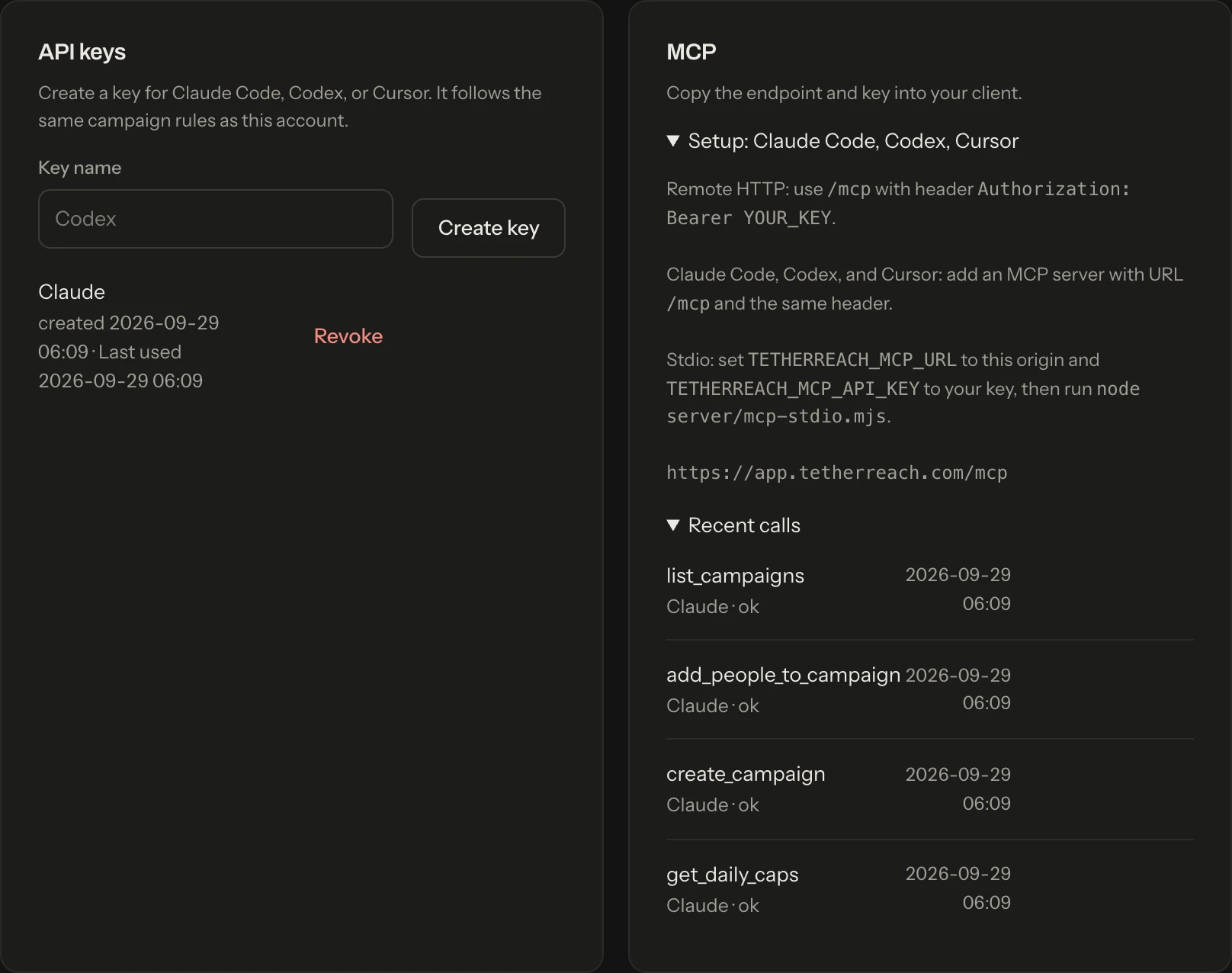
Sign in to your account, open Account and create a key under API keys. Copy it right away: it is shown once.
Add the server
Replace
YOUR_KEYwith your key.Claude Code
Run in your terminal.
claude mcp add --transport http tetherreach https://app.tetherreach.com/mcp --header "Authorization: Bearer YOUR_KEY"Codex
Run in your terminal.
export TETHERREACH_MCP_API_KEY='YOUR_KEY' codex mcp add tetherreach --url https://app.tetherreach.com/mcp --bearer-token-env-var TETHERREACH_MCP_API_KEYCursor
Put this in ~/.cursor/mcp.json.
{ "mcpServers": { "tetherreach": { "url": "https://app.tetherreach.com/mcp", "headers": { "Authorization": "Bearer YOUR_KEY" } } } }Claude Desktop
Put this in claude_desktop_config.json (Settings, Developer, Edit Config) and restart Claude. Needs Node.js.
{
  "mcpServers": {
    "tetherreach": {
      "command": "npx",
      "args": [
        "-y",
        "mcp-remote",
        "https://app.tetherreach.com/mcp",
        "--header",
        "Authorization:${TETHERREACH_AUTH}"
      ],
      "env": {
        "TETHERREACH_AUTH": "Bearer YOUR_KEY"
      }
    }
  }
}

What your agent cannot do.
- A new campaign is a draft
- Nothing goes to LinkedIn until you approve the campaign in the app.
- Your limits stay yours
- Your agent reads your daily limits but cannot raise them. Sending always stays within your limits and working hours.
- The same rules as the app
- Adding, pausing and resuming follow the same rules as in the app. Your exclusion list counts here too.
- Every call is listed
- Under Recent calls you see which key did what. Revoking takes one click.
A Gottmer Agency brand. Three products from one maker, each with its own job.