TetherReach / Knowledge / Agencies
LinkedIn automation agency
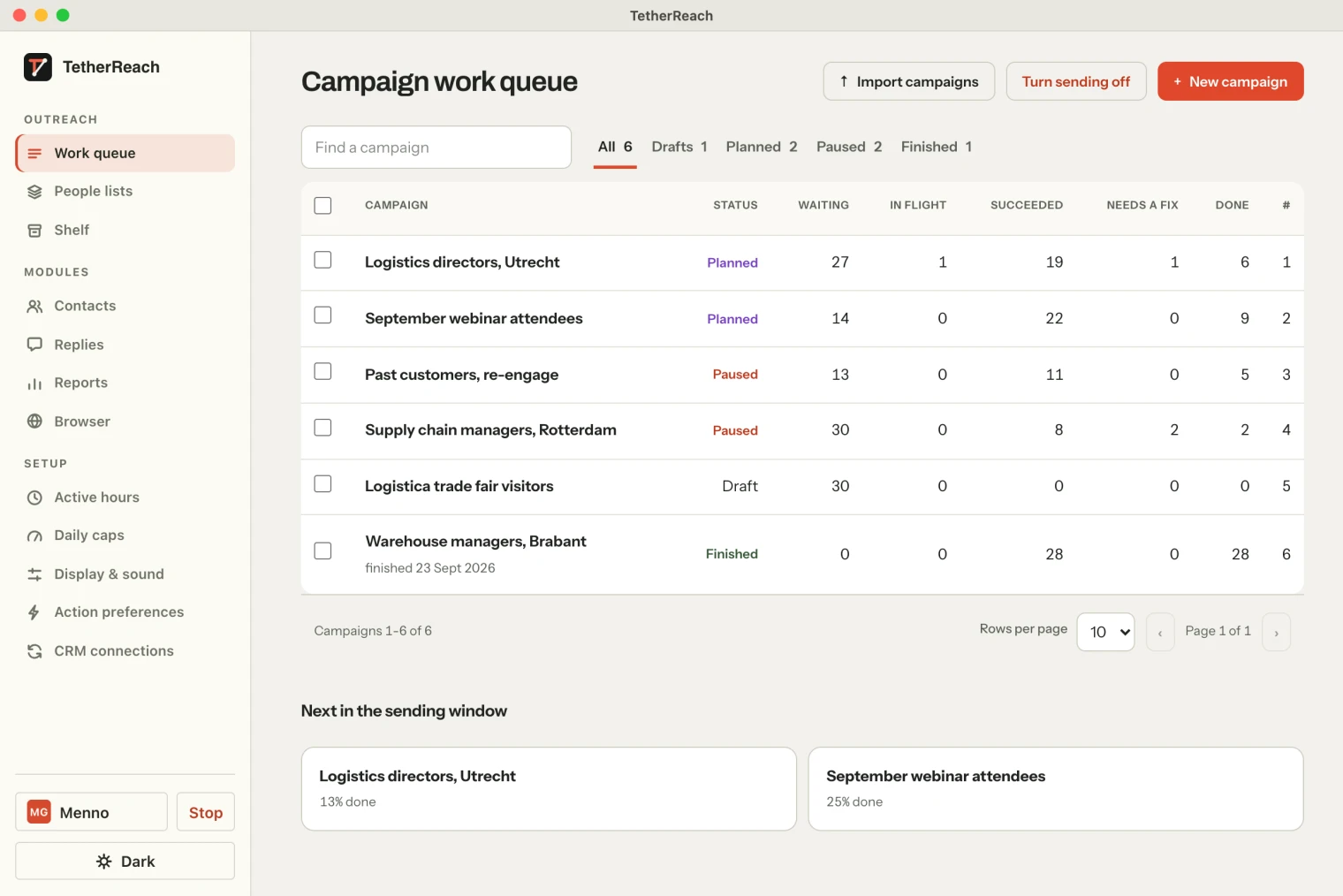
TL;DR: A LinkedIn automation agency can use TetherReach to prepare campaigns, review filled-in messages and run approved steps on each account’s connected computer. Team access is assigned per LinkedIn account. Keep responsibility for the audience, copy and replies with a named person. Check the desktop requirements, account controls and per-account price before choosing this workflow for a client.
How does a LinkedIn automation agency use TetherReach?
TetherReach combines a web account for campaign preparation with a desktop app for execution. An agency team can prepare a list and messages in the web account. The connected computer carries out the approved LinkedIn steps. The person responsible for the LinkedIn account signs in there themselves.
That split matters when you plan delivery. A campaign depends on the connected computer being on and the desktop app running. Include that responsibility in the client handover. Before preparing a live campaign, use the first TetherReach campaign walkthrough to understand the review and approval steps. A template prepared by one teammate still needs to be read after its fields are filled in.
Who should have access to each LinkedIn account?
Assign access to the LinkedIn accounts each teammate needs. Everyone uses their own TetherReach login. Decide who prepares the audience, who reviews the messages and who handles conversations. The team roles and account access page explains the permissions available in the product.
Before adding a client’s audience, agree which account will contact those people. Give campaigns names that make the account and purpose clear to the team. A clear name helps during review and export; it does not replace checking the actual account. Keep LinkedIn sign-in with the person operating that account’s connected computer.
| Work | Decision before approval | TetherReach control |
|---|---|---|
| Audience | Which profiles belong in this campaign? | CSV import, duplicate checks and exclusion list |
| Copy | Does the filled-in message fit each person? | Variables, IF/ELSE and message preview |
| Execution | Which account and computer carry out the steps? | Account access, limits and working hours |
| Replies | Who takes over a conversation? | Reply detection stops pending follow-ups |
Try it yourself, no payment details
Create an account, import a small list and review your first campaign as a draft. Nothing is sent before you have checked it. Mac or Windows + Chrome; you install the desktop app yourself in fifteen minutes.
How do you review a client list and message?
Start with a small list you have checked. Import LinkedIn contacts from CSV using a profile link for each person. Names, companies and job titles can fill message variables. Check whether those fields are accurate before relying on them. A company name in a CSV is input supplied by your team.
Use personalised LinkedIn messages with IF/ELSE for missing fields. Read the preview for people with a long name, no company or an unfamiliar job title. Ask whether the invitation makes sense to that person and whether the follow-up fits the conversation. Approve the campaign only after that review. Save a clear handover so another teammate understands what was approved.
What stays on the connected computer?
The desktop app carries out the LinkedIn actions in a separate Chrome profile on the connected Mac or Windows PC. TetherReach does not ask for the LinkedIn password. The account holder signs in themselves. Campaign preparation and the account interface remain in the web app.
Read the installation instructions before promising a start date. The computer needs macOS 13 or later, or Windows 10/11, plus Google Chrome. It stays on while a campaign runs. Agree who can open the app, notice a sign-in problem and pause work if the account needs attention. These are practical delivery responsibilities for the agency and client to settle.
How do limits and replies affect delivery?
Choose LinkedIn daily limits and working hours for each account. A limit controls the pace of approved steps. It is not a target that must be reached each day. Allow room to read responses and inspect anything that needs attention before increasing the workload.
When the app detects a reply, pending follow-ups for that person stop. A teammate then takes over the conversation. Keep that person’s availability in the handover, because software stopping a sequence does not answer the prospect. According to LinkedIn’s automated activity policy, third-party software that automates activity is prohibited. Local execution and low limits do not guarantee that an account avoids restrictions.
What does the agency pay for?
TetherReach charges per LinkedIn account. The monthly term is €19 per account per month, excluding VAT. Annual payment is €12 per account per month, billed as €144 up front, excluding VAT. Team members and computers are free. Check TetherReach pricing and renewal terms for the full choice of terms.
The trial lasts 14 days and includes one LinkedIn account without a payment card. Use it to inspect the workflow with your own list and message. Decide whether keeping a connected desktop running suits your client work. Pricing describes access to the software; it does not promise replies, booked meetings or a particular campaign result.
How do you hand results back to the client?
Owners and admins can export contacts, messages and campaign results as CSV. Decide which file the client needs and who will interpret it. Keep the date range and campaign name with your own reporting so people understand what the export covers.
Check which columns the client’s CRM accepts before importing anything. An exported record is not automatically a qualified lead or a booked meeting. Review the conversations and record the next action in your own process. If the local desktop workflow and review responsibilities fit, prepare a draft campaign and check it together before approval.
Frequently asked questions
Can an agency work with several LinkedIn accounts?
Yes. TetherReach supports campaigns and access per LinkedIn account. Assign each teammate the accounts they need and keep responsibility for each audience and message clear. The connected desktop app carries out that account’s approved steps. Check the team roles and account settings before preparing a client campaign.
Must every LinkedIn account run on one computer?
No. Each desktop installation runs one LinkedIn account, and the app runs on the computer connected to that account. The person operating it signs in to LinkedIn themselves. Agree who keeps that computer and the app running, and who checks any sign-in or execution issue during the campaign.
Can an agency export data for its client reports?
Yes. Owners and admins can export contacts, message history and campaign results as CSV. Choose the information your client needs and check its CRM’s import fields before moving the file. Review the conversations separately when reporting outcomes, so a contact record is not presented as a qualified lead.
Sources
- LinkedIn, Automated activity on LinkedIn · www.linkedin.com/help/linkedin/answer/a1340567 · checked 15 October 2026
- LinkedIn, Prohibited software and extensions · www.linkedin.com/help/linkedin/answer/a1341387/ · checked 15 October 2026
Further reading
Want more of this in your Google results? Add TetherReach as a preferred source.