The LinkedIn automation tool that stops when someone replies.
TetherReach is a LinkedIn automation tool on your own computer. Import your list, review your messages and let the desktop app send within your limits.
LinkedIn outreach does not fail for lack of messages. It fails for lack of attention.
A small list. An invitation you would accept yourself. Follow-ups that stop the moment someone replies. One good conversation is worth more than a hundred sent messages.

Every campaign on one row: what waits, what is in flight and what is done.

Ceilings per day and per week, with advice beside them. New accounts start at 5 invitations a day.

Only within the hours you choose, with minutes between every step.

Write once with {firstName} and IF/ELSE. No empty gaps.
From list to conversation in four steps.
Import your list
Pick a CSV, your contacts or another campaign. Duplicates and your exclusion list drop out first.
More about importImport your list
contacten.csv CSVILIris van LeeuwenReadyJJJoost JansenReadyAVAnna de VriesReadyLMLotte MeijerDuplicateBDBram DekkerReadyMVMark VerhoevenExcluded40 in the queue
Message template
Thanks for connecting, {firstName}. How do you approach {IF company} at {company} {ENDIF} new conversations?
How it is sent
Anna de Vries · Vries LogistiekThanks for connecting, Anna. How do you approach new conversations at Vries Logistiek?
Your week, within your working hours
09:0013:0017:00MonTueWedThuFriSatoffSunoff5invitations a day
25a week
5–20minutes between steps
Anna de Vries
Follow-upStopped
Control over your account.
It works the way you do: on your own computer, at your own pace.
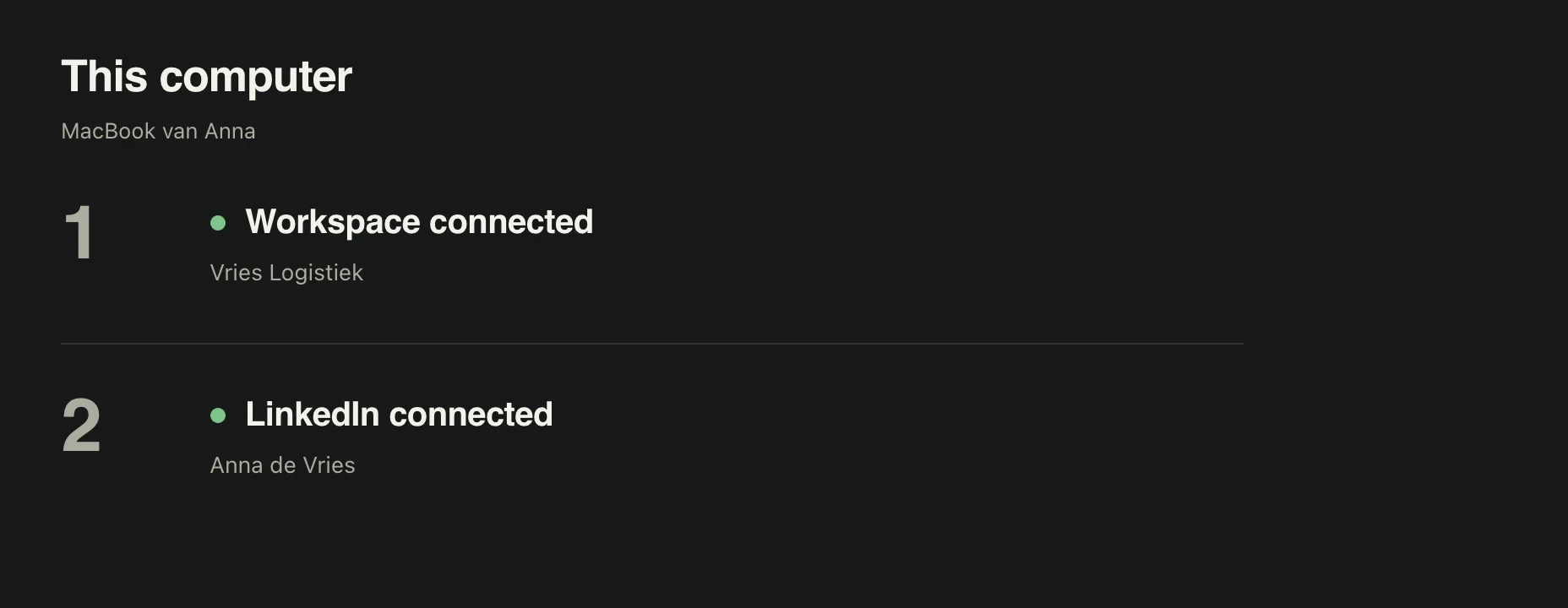
Your computer, your login
The app on your Mac or PC does the work. You sign in to LinkedIn yourself, in a separate Chrome window. We never see or store your password.
Daily limits
A ceiling per action per 24 hours, and a weekly limit for invitations. A new account starts at 5 invitations and 10 messages a day.
Your working hours
Only in the hours you choose, with 5 to 20 minutes between invitations and messages.
A reply stops the follow-ups
When someone replies, every next step to that person stops, in every campaign.
One button to stop
Press Stop and no new step starts.
Explore the account controls. Did LinkedIn already show you a notice? Paste it into the notice decoder.
Everything for calm, personal outreach.
Fast import
CSV or pasted rows. Every row checked before it goes in.
Personal every time
Variables, IF/ELSE and greeting variants.
Your pace
Limits, working hours and gaps per LinkedIn account.
Stops on a reply
A real reply stops every next step for that person.
You approve
A campaign starts only when you approve it. Pause any time.
On your own computer
The desktop app uses your own Chrome and your own login.
Export everything
People and messages as CSV, whenever you like.
Work as a team
Roles for owner, admin, member and viewer.
Use TetherReach from your AI agent.
Connect Claude, Codex or Cursor with one key. Your agent sets up the campaign as a draft and reads your results. You start it in the app.
 Claude
Pay per LinkedIn account.
One plan with every feature. You pay per LinkedIn account.
- Every feature, whichever term you pick.
- Team members and computers are free.
- You review every message before it goes out.
- Cancel any time.
Before you start.
- Computer
- Mac (macOS 13 or later) or Windows 10/11, with Google Chrome.
- The desktop app
- It carries out the steps. Keep it open while a campaign runs.
- Your LinkedIn login
- You sign in yourself. We never ask for your password.
- One account per install
- Each installation runs one LinkedIn account.
What you probably want to know.
What exactly is TetherReach?
Software for organising LinkedIn invitations, follow-ups and replies. You import a list, write templates with variables, review every message and let the desktop app on your computer carry out the approved steps within your limits.
Does it run in the cloud, or does my computer need to stay on?
Your account and campaigns live on the server. The desktop app on your own computer carries out the steps on LinkedIn, so it stays on while a campaign runs.
Does TetherReach ask for my LinkedIn password?
No. You sign in to LinkedIn yourself in a separate Chrome profile on your computer. TetherReach stores your LinkedIn password nowhere.
What happens when someone replies?
A reply stops every pending step for that person, in every campaign. You answer yourself.
How do I keep my LinkedIn account healthy?
With low limits, working hours, pauses and a kill switch. LinkedIn sets its own rules and can restrict automation, so start small.
What does it cost and when does the trial start?
You start with 14 days free, no card: 1 LinkedIn account, everything included. The trial starts when you create your account. One plan with every feature. You pay per LinkedIn account. Per account per month: €19 monthly, €16 for 3 months (€48 up front), €14 for 6 months (€84 up front), or €12 for 12 months (€144 up front), excl. VAT. Payment adds 21% VAT. Team members and computers are free. Subscriptions renew automatically. Cancel any time; access runs to the end of your paid term. Nothing is charged automatically when the trial ends: your campaigns pause until you pick a plan.
How does the desktop app installation work?
Yourself, in fifteen minutes. Download the app for Mac or Windows and follow the illustrated guide. Until your campaign is approved, your account sends nothing.
Can I export or delete my data?
Yes. Export people and message history as CSV. Request a copy or deletion of your account data from your account; we review the request before carrying it out.
More questions? Email hello@tetherreach.com or use the contact form.
Built by someone who uses it himself.
I am Menno Gottmer, founder of TetherReach, FlintLead and FirmTrove and COO of Adaptive Teams and SellerPlex. TetherReach grew out of FlintLead’s LinkedIn outreach: small, supervised, with low limits.
FlintLead’s LinkedIn outreach runs on TetherReach: an invitation, a message after acceptance and two follow-ups, stopped when someone really replies.

Written while building.
A Gottmer Agency brand. Three products from one maker, each with its own job.