TetherReach / Knowledge / Comparison
TetherReach versus Linked Helper: the same fields, filled in honestly
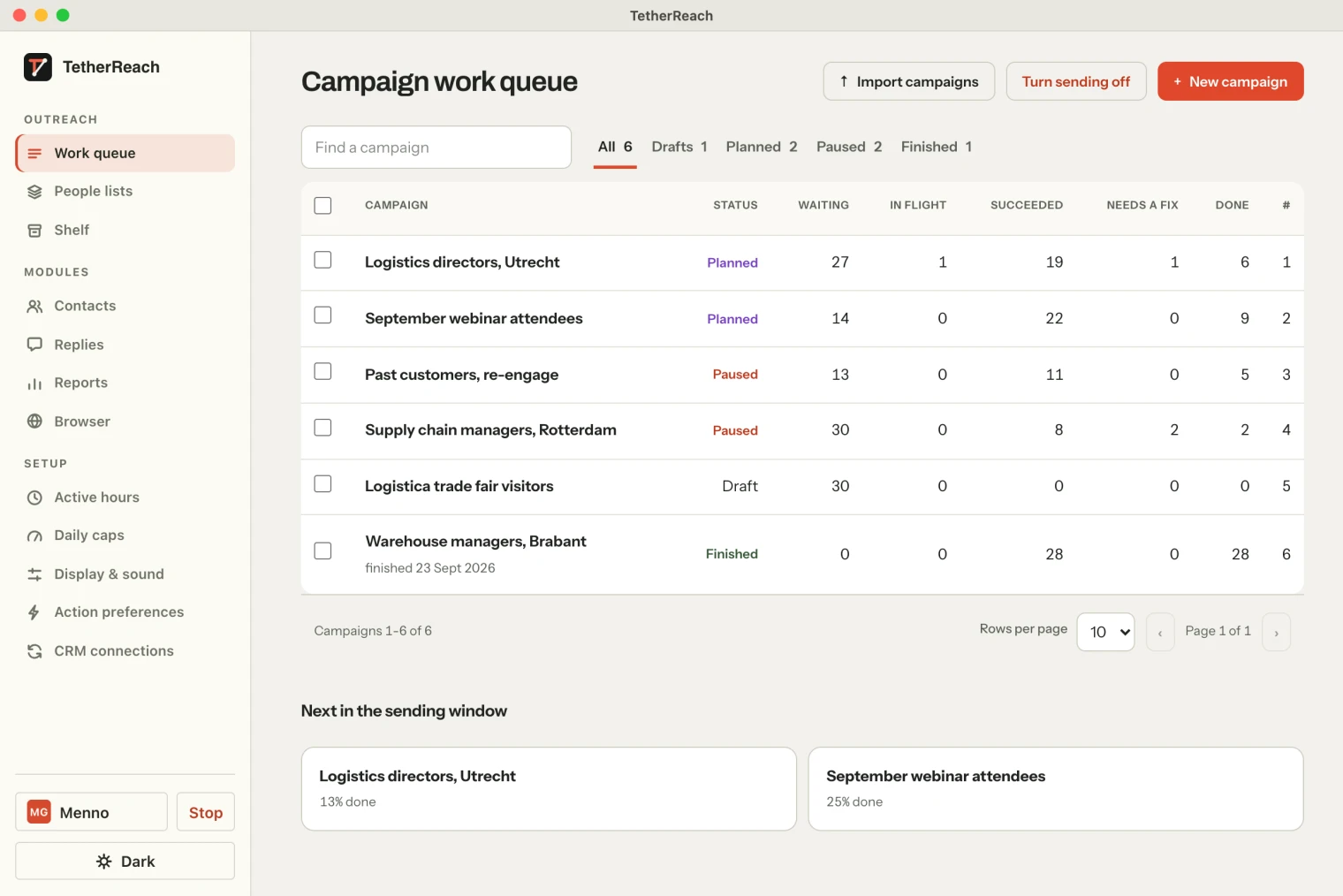
TL;DR: Both TetherReach and Linked Helper run LinkedIn outreach through a desktop app. TetherReach combines a web account with campaign review before execution on your own computer. Compare the workflow and limits below against what your team needs. Read the linked sources and compare the controls with the workflow your team needs.
Why this comparison, and by whom
This piece was written by Menno Gottmer, who builds TetherReach. That is not a neutral position, so the rules are simple: the same fields for both products, a source per field, and what we did not test ourselves is marked “not tested”, not “does not work”. The Linked Helper data comes from Linked Helper's public website on 12 September 2026; we created no account, downloaded nothing and made no payment. The TetherReach data comes from the product's code, tests and documentation on the same date.
Linked Helper has existed since 2016 and is the reference product in this category; TetherReach is a new product in guided beta. Anyone looking for the most features and the longest track record will find no surprise below. Neither will anyone looking for a small, reviewable working method on a Mac.
Which systems do the apps run on?
TetherReach runs on Mac and Windows. Linked Helper also lists Linux support.
| Field | TetherReach | Linked Helper (public site) |
|---|---|---|
| Form | Web account plus a desktop app on your Mac or Windows PC | Desktop app, “not a Chrome extension” |
| Operating systems | Mac (Apple Silicon and Intel, macOS 13 or later) and Windows 10/11, with Google Chrome; no Linux | Windows, macOS and Linux (according to the site) |
| Installation | Public download with checksum and installation guide; macOS and Windows ask for a one-time confirmation on first launch | Public download, “100% free, no card” for the trial |
| LinkedIn login | Sign in yourself in a separate Chrome profile; no password at TetherReach | Own browser instance with “unique browser fingerprints and proxy support” |
Try it yourself, no payment details
Create an account, import a small list and review your first campaign as a draft. Nothing is sent before you have checked it. Mac or Windows + Chrome; you install the desktop app yourself in fifteen minutes.
Execution and storage
Both products carry out the steps on LinkedIn on a computer of the user, not in the cloud. Linked Helper additionally offers a cloud-storage version: the data then lives in the cloud, execution stays local. With TetherReach, account, lists, campaigns and results live on the TetherReach server; only the LinkedIn browser profile and recovery evidence live on your Mac. In both cases the computer has to stay on while a campaign runs.
| Field | TetherReach | Linked Helper (public site) |
|---|---|---|
| Where the steps run | On your Mac or Windows PC, through the desktop app | On your computer, through the desktop app |
| Where the data lives | Server (account, lists, campaigns); your computer (browser profile, evidence) | Locally, or in the cloud-storage version “from any device” |
| Keep the computer on | Yes | Yes (execution is local) |
Workflow and personalisation
Linked Helper advertises “30+ automated LinkedIn actions”, including InMail, group and event messages, endorsements and post interactions. TetherReach has part of that as experimental modules in the code, but deliberately offers only invitation, message after acceptance, wait, reply check, filter, tag and stage in the first release. Personalisation works with variables in both; TetherReach additionally supports IF/ELSE for missing fields, {Hi|Hello} variants and a preview of every variant with a character count.
| Field | TetherReach | Linked Helper (public site) |
|---|---|---|
| Steps for new campaigns | 7 (invitation, message, wait, reply check, filter, tag, stage) | “30+ actions” (not counted or tested by us) |
| Variables | Standard fields, custom cs_ columns, IF/ELSE, {a|b} variants, two languages per step | Variables and “messages with images” (Pro); details not tested |
| Limits and working hours | Per LinkedIn account: daily and weekly limit, weekdays, working hours, 5 to 20 minutes pause | “Smart daily limits, rolling 24-hour caps, work hours, randomized starts” |
| Review before starting | Campaign only starts after approval; kill switch; unknown outcome on hold | Not described on the public site; not tested |
What happens when someone replies?
Both products stop the sequence for a person who replies. Linked Helper calls this Smart Reply Detection: “if he or she replies with something, the campaign will stop for them”. In TetherReach a substantive reply stops every pending step for that person in every campaign; a bare “thanks” or “ok” is logged but not counted as a reply. Whether Linked Helper distinguishes short reactions is not on its site and we did not test it. For TetherReach, the mock tests cover this behaviour and the full real chain (acceptance, message, reply, stopped follow-up) has not yet been independently confirmed.
Integrations and handoff
Here Linked Helper is clearly further along: the site lists native connections with HubSpot, Salesforce, Pipedrive, Zoho, ActiveCampaign, Instantly, Streak, Close, Capsule and HighLevel, plus Google Sheets, Zapier, Make and webhooks, and a built-in CRM with tags and notes. TetherReach exports people and message history as CSV and has tags, notes and stages per person. CRM adapters and webhooks exist in the code as an experiment and are not offered in the first release; they have not been tested against real vendors.
Pricing and limits
Mind the currency and the storage variant; a dollar price of the local version (see our pricing) cannot be compared with a euro price excl. VAT without saying so.
| Field | TetherReach | Linked Helper (public site) |
|---|---|---|
| Trial | 14 days, 1 LinkedIn account, every feature, no card, starts when you create your account | 14 days, “100% free, no card” |
| Entry plan | One plan with every feature. You pay per LinkedIn account: €19 monthly, €16 for 3 months (€48 up front), €14 for 6 months (€84 up front), €12 for 12 months (€144 up front), per month excl. VAT. Team members and computers are free. | Standard $15 per month (local storage) or $29.90 (cloud storage); VAT not stated on the page |
| Middle plan | The same plan with every feature. You pay per LinkedIn account. | Pro $45 per month (local) or $59.90 (cloud) |
| Top plan | The same plan with every feature. You pay per LinkedIn account. | No third tier on the page |
| Licence unit | Per LinkedIn account; team members and computers are free | “1 license = 1 LinkedIn account”, switching allowed |
| What a higher plan gives | Every feature in one plan; no extra room on LinkedIn | Unlimited daily advanced actions, more data and AI credits, unlimited webhooks (Pro) |
| Payment | Per chosen term through Mollie; methods shown before the first payment | Not derivable from the page; not tested |
Evidence and limitations
Linked Helper publishes review scores and customer logos on its own site; we did not verify them independently and do not repeat them here. TetherReach has no customer reviews. What it does have: an internal pilot at FlintLead (same owner) with four confirmed received invitations, 503 automated tests and four mock end-to-end journeys that passed on 8 September 2026. That is evidence that the software does what the code says, not evidence of results at customers.
Neither product can promise that a LinkedIn account will not be restricted. Linked Helper describes its approach as “safer by design” and “mimicking human behavior”; TetherReach does not make that claim and names the risk: LinkedIn can restrict automation or suspend an account, and low limits and review do not reduce that risk to zero.
Which product fits whom
Choose Linked Helper if you use Linux, want many different LinkedIn actions, need a native CRM connection or want a cloud-storage version. Consider TetherReach if you work on a Mac or Windows PC, want to approach a small list personally and want to review every step in advance. Anyone in doubt can try both for free; with TetherReach you can import, write and review every variant before the desktop app is installed.
Frequently asked questions
Is TetherReach a copy of Linked Helper?
TetherReach was built independently, with Linked Helper used as a reference for the kind of workflow users expect. This comparison describes the products’ documented behavior and the source of each fact. Compare the execution model, review steps and price against your own needs rather than assuming the products are interchangeable.
Why does it say “not tested” so often?
We did not install or purchase Linked Helper for this comparison. A feature described on its public website is vendor documentation, rather than evidence from our own account test. The source links let you check those statements. Use the distinction when deciding which behavior you need to verify yourself.
How do I compare current prices?
Use the table to identify the terms you need to compare, then open the linked pricing pages before buying. Check the billing period, included accounts, taxes and any separate limits. The article’s published and updated dates describe this comparison; the vendor’s own checkout determines its current offer.
Linked Helper is a trademark of its vendor; TetherReach is not affiliated with it.
Sources
- Linked Helper, homepage · www.linkedhelper.com/ · checked 12 September 2026
- Linked Helper, pricing · www.linkedhelper.com/pricing · checked 12 September 2026
- TetherReach, feature status, plans and tests (FEATURES.md, lib/plans.mjs, READINESS.md in the source) · checked 12 September 2026
Further reading
Want more of this in your Google results? Add TetherReach as a preferred source.