TetherReach / Knowledge / Comparison
Best LinkedIn automation tools: 10 compared
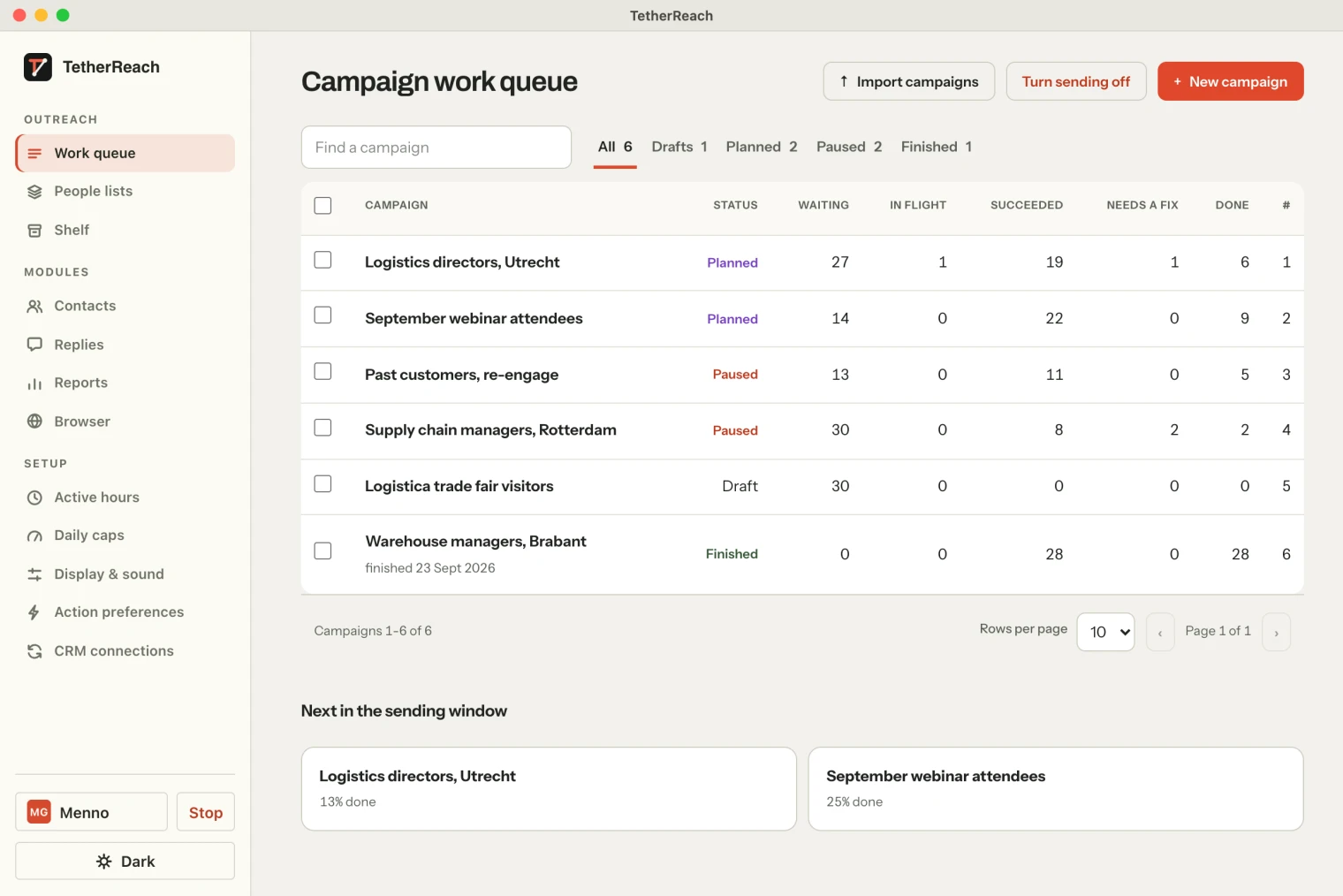
TL;DR: The best LinkedIn automation tools differ most in where they run and how you pay. TetherReach runs on your own computer, from €12 per LinkedIn account a month on a yearly term. Waalaxy, HeyReach, Expandi, Dripify, La Growth Machine, lemlist and Skylead run in the cloud. Linked Helper and Dux-Soup offer desktop software. Every one of them carries the same risk, because LinkedIn’s User Agreement bans automation software.
How we picked these LinkedIn automation tools
Menno Gottmer builds TetherReach, so this list is not neutral. TetherReach is first because it is our product. The other nine are well-known LinkedIn automation tools, each with a public pricing page.
We opened every pricing page on 29 September 2026 and copied the prices as shown there. We did not buy the tools or test them on a LinkedIn account. Prices change often, so check the vendor’s page before you pay. The sources are listed at the bottom. For four tools we wrote a longer side-by-side page: Waalaxy, HeyReach, Expandi and Linked Helper.
What do LinkedIn automation tools cost?
Most tools charge per LinkedIn account (a seat, sender or identity) per month. Entry prices run from €12 to $109 a month. Yearly billing is cheaper at almost every vendor. Currencies differ because each vendor shows its own.
| Tool | Runs where | Entry price per account per month | Free trial |
|---|---|---|---|
| 1. TetherReach | Desktop app on your Mac or Windows PC | €19 monthly, €12 on a 12-month term, excl. VAT | 14 days, no card |
| 2. Waalaxy | Cloud | Pro €19 per user | 14 days |
| 3. HeyReach | Cloud | Growth $79 per sender | Yes; 30 days on request for Agency and Unlimited |
| 4. Expandi | Cloud, dedicated country-based IP | $99, 20% off yearly | 7 days |
| 5. Linked Helper | Desktop software | Standard $15 per license on a 1-month term | 14 days, no card |
| 6. Dripify | Cloud, dedicated IP | Basic $59, or $39 billed yearly | 7 days, no card |
| 7. Dux-Soup | Desktop app (Local) or cloud | Local €36.25 per seat billed yearly | Yes |
| 8. La Growth Machine | Cloud | Basic €50 per identity billed yearly | 14 days |
| 9. lemlist | Cloud | Multichannel $109, or $87 billed yearly | 14 days, no card |
| 10. Skylead | Cloud | $100 per seat | 7 days |
Try it yourself, no payment details
Create an account, import a small list and review your first campaign as a draft. Nothing is sent before you have checked it. Mac or Windows + Chrome; you install the desktop app yourself in fifteen minutes.
TetherReach
TetherReach is a desktop app for Mac and Windows with a web account. You sign in to LinkedIn yourself, in a separate Chrome window on your own computer. TetherReach never sees or stores your LinkedIn password. The app carries out the steps you approved, within your limits, so the computer stays on while a campaign runs.
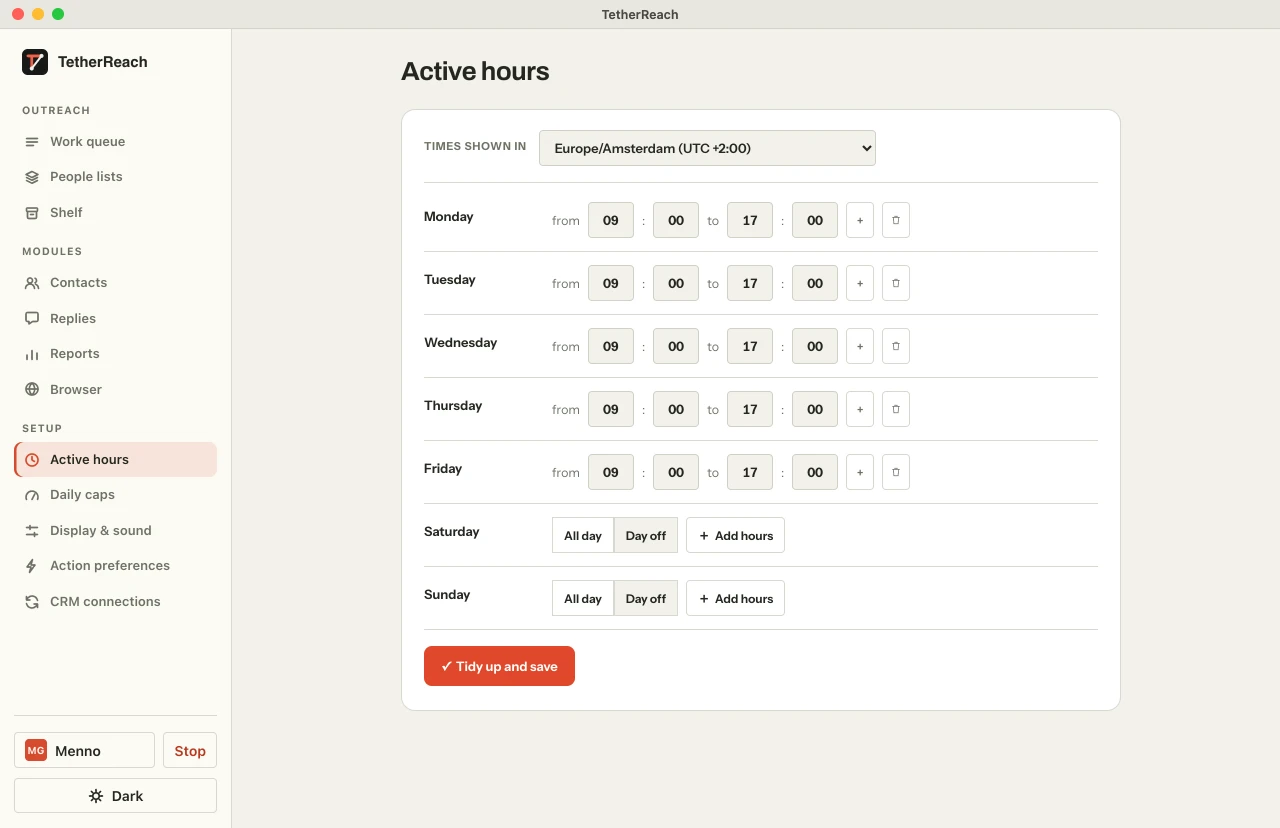
A new account starts at 5 invitations and 10 messages a day, 25 invitations a week and 5 to 20 minutes between invitations and messages (limits and hours). A reply stops every pending step for that person in every campaign. You review every message before it goes out.
It costs €19 per LinkedIn account a month, or €12 on a 12-month term, excl. VAT (pricing). Team members and computers are free. The trial runs 14 days without a card, and nothing is charged when it ends. TetherReach does LinkedIn only; pair it with an email tool if you want both channels.
Pick it when you want to keep your LinkedIn login on your own computer and pay per account.
Waalaxy
Waalaxy now runs fully in its own cloud. Its Chrome extension was removed, and you work in the browser at app.waalaxy.com. The Business plan adds cold email sequences next to LinkedIn.
Pro costs €19 per user a month with 300 invitations a month. Advanced is €49 and Business €69, both with 800 invitations a month. Quarterly and yearly billing lower the price. Paid plans start with a 14-day free trial.
Pick it when you want LinkedIn outreach in the cloud on a small budget. Our Waalaxy comparison has the full table.
HeyReach
HeyReach is a cloud tool built for agencies and teams with many LinkedIn senders. You connect an account with a session cookie from Chrome, or with your LinkedIn email and password.
Growth costs $79 per sender a month. Agency is $999 a month for 25 senders, and Unlimited is $2,999 a month. Teammates, clients and assistants are free; you pay per sender. A 30-day trial of Agency or Unlimited is available on request.
Pick it when you run dozens of LinkedIn accounts and want one inbox for all of them.
Expandi
Expandi is cloud-based software that gives each account a dedicated country-based IP address. Connection requests, messages and email follow-ups fit in one sequence.
The plan costs $99 a month with every feature. Paying yearly gives a 20% discount, which Expandi calls two months free, and more seats bring bigger discounts. The free trial lasts 7 days, and Expandi says it only charges once you decide to continue.
Pick it when you want hands-off cloud sending with your computer off. See our Expandi comparison.
Linked Helper
Linked Helper runs as desktop software on your own computer. It works from your own IP or a dedicated proxy, and it stores data in local folders on your device. The campaign builder has more than 30 action types.
A Standard license costs $15 a month on a 1-month term. Longer terms save 11%, 33% or 45%, and volume discounts start at 10 licenses. The 14-day trial gives full Pro access without a card. When it ends, campaigns pause and nothing renews.
Pick it when you want the widest set of actions and data scraping on your own machine.
Dripify
Dripify runs campaigns on its own infrastructure with a dedicated IP. Every paid plan combines LinkedIn and email in one sequence, with 100 email finder credits a month. One seat connects one LinkedIn account.
Basic costs $59 per user a month, Pro $79 and Advanced $99. Billed yearly, that drops to $39, $59 and $79. Basic allows up to 20 connection requests and 30 messages a day. The 7-day trial needs no card and nothing is charged when it ends.
Pick it when you want LinkedIn and email sequences in the cloud with daily caps per plan.
Dux-Soup
Dux-Soup sells STACKED in two forms. STACKED Local is a desktop app for Mac and Windows that runs on your own machine. STACKED Cloud runs on Dux-Soup’s infrastructure, so no computer has to stay on.
On the euro pricing page, Local costs €36.25 and Cloud €65.83 per seat a month, billed yearly. Yearly billing saves 25%. Every 10 seats take 10% off, up to 50%. A free trial is offered.
Pick it when you want to choose between local and cloud, or need native CRM connections like Salesforce and Zapier.
La Growth Machine
La Growth Machine is 100% cloud-based and mixes LinkedIn, email, calls and X in one campaign. It bills per identity, meaning each profile that runs campaigns.
On yearly billing, Basic costs €50 per identity a month, Pro €100 and Ultimate €150. Basic covers LinkedIn and email, up to 3 identities and 250 enriched leads a month. Every plan starts with a 14-day free trial.
Pick it when you run multichannel campaigns and want lead enrichment in the same tool.
lemlist
lemlist has an Email plan and a Multichannel plan, and LinkedIn automation sits in Multichannel. That plan covers LinkedIn profile visits, invitations, text and voice messages next to email, calls and SMS.
Multichannel costs $109 a month per user, or $87 billed yearly. The Email plan at $69 has no LinkedIn automation. The trial runs 14 days without a credit card.
Pick it when email is your main channel and LinkedIn is an extra touch.
Skylead
Skylead is a cloud-based tool that puts LinkedIn automation, smart sequences and unlimited email accounts in one seat.
The All-in-one plan costs $100 per seat a month and includes 100,000 emails a month. Agencies pay $999 a month for 25 seats or $1,999 for unlimited seats, as a first-year promotion. The free trial lasts 7 days.
Pick it when you want high email volume and LinkedIn in one cloud seat.
Is LinkedIn automation allowed?
No. LinkedIn does not permit third-party software, bots or extensions that automate activity on its site (LinkedIn’s help page on prohibited software). Section 8.2 of the User Agreement names bots that add contacts or send messages. This applies to every tool on this list, TetherReach included.
LinkedIn can restrict or close an account that breaks these rules. No vendor can promise that will not happen, whatever it says about safety. What you control is volume and behaviour. Start small, keep daily limits low, work within office hours and write messages people want to receive. Read how TetherReach handles this before you start.
Which LinkedIn automation tool should you choose?
Start with where you want the work to run. A desktop tool (TetherReach, Linked Helper, Dux-Soup Local) keeps your login on your own computer, which then has to stay on. A cloud tool keeps running when your laptop is closed, but it holds your LinkedIn session.
Then count accounts. For one to a few accounts, per-account pricing is cheapest. From about 25 senders, HeyReach and Skylead offer flat agency plans. If you also send cold email at volume, lemlist, Skylead, La Growth Machine and Dripify combine both channels.
Frequently asked questions
What is the cheapest LinkedIn automation tool?
On the pricing pages we opened, TetherReach costs €12 per LinkedIn account a month on a 12-month term, excl. VAT. Linked Helper starts at $15 a license on a 1-month term, and Waalaxy Pro at €19 per user. Compare the same billing term and the number of accounts you need before deciding.
Can LinkedIn ban my account for using an automation tool?
Yes. LinkedIn’s User Agreement prohibits bots and automation software, and LinkedIn can restrict accounts that use them. This holds for cloud and desktop tools alike. Lower the risk with small daily numbers, working hours, personal messages and a quick stop when someone replies. No tool removes the risk.
Do I need LinkedIn Sales Navigator for these tools?
Not for most of them. Dripify says it works with free LinkedIn accounts, and TetherReach works from a list you import. Sales Navigator gives better search filters, so many teams add it. It is a separate LinkedIn subscription with its own price, on top of the tool.
Which tools offer a free trial without a credit card?
TetherReach, Linked Helper, Dripify and lemlist all say their trial needs no card. TetherReach and Linked Helper pause campaigns when the trial ends and charge nothing. Expandi’s 7-day trial also charges only once you choose to continue. Check each vendor’s pricing page for the current terms.
Sources
- TetherReach, pricing · tetherreach.com/en/pricing/ · checked 29 September 2026
- TetherReach, limits and hours · tetherreach.com/en/daily-limits/ · checked 29 September 2026
- Waalaxy, pricing · www.waalaxy.com/pricing · checked 29 September 2026
- Waalaxy help, Waalaxy is now fully cloud-based · intercom.help/waalaxy/en/articles/15587366-waalaxy-is-now-fully-cloud-based · checked 29 September 2026
- HeyReach, pricing · www.heyreach.io/pricing · checked 29 September 2026
- HeyReach help, connect your LinkedIn account · help.heyreach.io/en/articles/9877938-how-to-connect-my-linkedin-account-to-heyreach · checked 29 September 2026
- Expandi, pricing · expandi.io/pricing/ · checked 29 September 2026
- Linked Helper, pricing · www.linkedhelper.com/pricing · checked 29 September 2026
- Dripify, pricing · dripify.com/pricing/ · checked 29 September 2026
- Dux-Soup, pricing · dux-soup.com/pricing · checked 29 September 2026
- La Growth Machine, pricing · lagrowthmachine.com/pricing/ · checked 29 September 2026
- lemlist, pricing · www.lemlist.com/pricing · checked 29 September 2026
- Skylead, pricing · skylead.io/pricing/ · checked 29 September 2026
- LinkedIn help, prohibited software and extensions · www.linkedin.com/help/linkedin/answer/a1341387 · checked 29 September 2026
- LinkedIn, User Agreement · www.linkedin.com/legal/user-agreement · checked 29 September 2026
Further reading
Want more of this in your Google results? Add TetherReach as a preferred source.